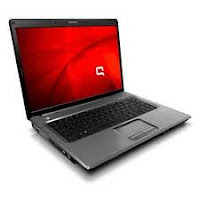
Description:
Please Install according to order:
Before installing the driver i strongly recommend to install the netframework:
Net Framework:
Download
Chipset - From Nvidia
Nvidia nForce 630a - Windows XP/2000
Version: 14.10 Release Date: May 3rd, 2007
Download
Chipset Driver - From HP
NVIDIA nForce Chipset Driver (C51/MCP51)
Version 8.61A 60.53MB
Download
Graphic/VGA
nVIDIA GeForce 7000M Video Adapter
NVIDIA 32-bit ForceWare GeForce Go 156.55 Download
NVIDIA 64-bit ForceWare GeForce Go 156.55 Download
Wireless
(2 drivers, choose 1 base on your specification)
Broadcom Wireless Driver (sp37950.exe)
Version 6.20E 6.98MB
Download
Atheros 2011 Wlan Driver for XP, Vista and 7
Version 9.20 89MB
Download
Audio/Sound
Before installing audio driver, you need to install MS-UAA frist and restart.
1. MS UAA(required with a reboot before installing audio):
Download
Then Install the audio
Conexant SmartAudio 221:
Download
Install the audio driver and ignore if there is an error.
1. Click on Start and select Run. Type DEVMGMT.MSC and press enter.
2. Right click on "Audio device on High Definition Audio Bus" and click Update driver.
3. Select "Install from a list or specific location"
4. Click Next. Then select "Dont search, I will choose the driver to install"
5. Click Next and then select "Sound, video and game controller".
6. Click Next and then click Have Disk.
7. Click Browse C:swsetupsp34200 folder and select the .inf (wis30b2a) file and click open and
Continue with the onscreen instructions.
Ignore XP when it complains.
Reboot.
Input
HP Quick Launch Button
Download
Touchpad
Synaptics Touchpad
Version:10.0.13.2, 24.26M
Download
Card Reader
Ricoh 5 in 1 Card reader Driver:
R5C832/843 RICOH Controller
Download
Lan/Ethernet
Installed with chipset installation.
Modem:
Conextant Modem Driver
Download (sp33742)
or
Download (sp37817)
(if direct install failed, install using the same method as audio installation)
Read More..
Please Install according to order:
Before installing the driver i strongly recommend to install the netframework:
Net Framework:
Download
Chipset - From Nvidia
Nvidia nForce 630a - Windows XP/2000
Version: 14.10 Release Date: May 3rd, 2007
Download
Chipset Driver - From HP
NVIDIA nForce Chipset Driver (C51/MCP51)
Version 8.61A 60.53MB
Download
Graphic/VGA
nVIDIA GeForce 7000M Video Adapter
NVIDIA 32-bit ForceWare GeForce Go 156.55 Download
NVIDIA 64-bit ForceWare GeForce Go 156.55 Download
Wireless
(2 drivers, choose 1 base on your specification)
Broadcom Wireless Driver (sp37950.exe)
Version 6.20E 6.98MB
Download
Atheros 2011 Wlan Driver for XP, Vista and 7
Version 9.20 89MB
Download
Audio/Sound
Before installing audio driver, you need to install MS-UAA frist and restart.
1. MS UAA(required with a reboot before installing audio):
Download
Then Install the audio
Conexant SmartAudio 221:
Download
Install the audio driver and ignore if there is an error.
1. Click on Start and select Run. Type DEVMGMT.MSC and press enter.
2. Right click on "Audio device on High Definition Audio Bus" and click Update driver.
3. Select "Install from a list or specific location"
4. Click Next. Then select "Dont search, I will choose the driver to install"
5. Click Next and then select "Sound, video and game controller".
6. Click Next and then click Have Disk.
7. Click Browse C:swsetupsp34200 folder and select the .inf (wis30b2a) file and click open and
Continue with the onscreen instructions.
Ignore XP when it complains.
Reboot.
Input
HP Quick Launch Button
Download
Touchpad
Synaptics Touchpad
Version:10.0.13.2, 24.26M
Download
Card Reader
Ricoh 5 in 1 Card reader Driver:
R5C832/843 RICOH Controller
Download
Lan/Ethernet
Installed with chipset installation.
Modem:
Conextant Modem Driver
Download (sp33742)
or
Download (sp37817)
(if direct install failed, install using the same method as audio installation)